Secure WiFi for SMEs: Learn definitions, key features, Ubiquiti Unifi solutions, network cabling, risks, and optimal protections.

Many Stockholm businesses believe a simple password makes their WiFi network secure. In reality, proper wireless protection goes much deeper, covering every device and connection, from access points to switches. Misunderstanding WiFi security leaves your company exposed to avoidable risks and costly breaches. This guide brings clarity to common myths and outlines robust strategies for small and medium enterprises that want reliable and secure wireless networks with Ubiquiti Unifi.
| Point | Details |
|---|---|
| Comprehensive Security Management | Secure WiFi requires ongoing management, regular updates, and adherence to current encryption standards like WPA3. |
| Myths About Network Security | Many SMEs operate under misconceptions, believing hidden networks or outdated encryption methods are sufficient protection. |
| Risk Assessment and Segmentation | Effective security involves network segmentation and restriction of access to sensitive systems to mitigate risks of breaches. |
| Professional Installation Importance | Quality cabling and professional installation significantly enhance network performance and reliability, preventing future issues. |
Svep i sidled för att se hela tabellen
WiFi security means far more than just setting a password. It encompasses protecting every component of your wireless network—from access points and switches to client devices—throughout the entire lifecycle of your system.
Many small and medium enterprises in Stockholm operate under dangerous assumptions about their wireless networks. The most common mistake? Believing that because something is wireless, it is somehow inherently secure.
Here’s what business owners and IT managers often get wrong:
“My network is hidden, so it’s safe.” Hiding your network name (SSID) provides zero real security. Attackers detect hidden networks just as easily as visible ones.
“WEP or WPA encryption is enough.” Outdated encryption standards like WEP are completely broken. Even older WPA implementations have known vulnerabilities that criminals actively exploit.
“I don’t need to update my access point firmware.” This is particularly risky. Firmware updates patch critical security holes. Skipping them leaves your network wide open.
“Wireless networks are inherently risky, so I’ll just avoid them.” Wrong approach. Modern standards like WPA3 provide excellent security when properly configured.
“My switch and router don’t need security focus.” NIST wireless security guidance emphasises that you must secure all WLAN components, not just access points. Your wired infrastructure is equally critical.
Secure WiFi requires active management and proper configuration. It is not a feature you enable once and forget about.
True wireless security includes:
According to best practices for wireless network security, unsecured wireless networks allow cybercriminals direct access to sensitive business information. Yet many SMEs treat WiFi as secondary infrastructure.
An unsecured WiFi network is essentially an open door to your company data. Customer information, financial records, employee credentials—all accessible to anyone sitting in your car park with a laptop.
Proper WiFi security protects your reputation, avoids regulatory fines, and keeps operational systems stable. It also reduces the risk of ransomware infections that spread through unprotected wireless access.
Pro tip: Start by auditing your current setup: What encryption standard are you using? When was the last firmware update? Are different user types (employees, guests, contractors) on separate networks? These answers reveal whether your security is truly robust or just appearing to be.
Wireless security protocols form the foundation of any protected network. These standards encrypt data travelling across your WiFi and authenticate users accessing your system. Understanding the differences between them helps you make informed decisions about your SME’s network infrastructure.
The wireless security landscape has evolved significantly. Older protocols proved vulnerable to attack, which is why modern standards exist—and why you should avoid anything outdated.
Wireless networks have progressed through several generations of security standards:
To better understand the progression of wireless security, here is a comparison of protocol strengths and weaknesses:
| Protocol | Year Introduced | Main Strength | Major Weakness |
|---|---|---|---|
| WEP | 1997 | Simple setup | Easily hacked in minutes |
| WPA | 2003 | Improved over WEP | Still exploited by attackers |
| WPA2 | 2004 | Reliable AES encryption | Vulnerable to password attacks |
| WPA3 | 2018 | Robust authentication, strong protection | Limited by device compatibility |
Svep i sidled för att se hela tabellen
WEP (Wired Equivalent Privacy) – The original standard from the 1990s. Now completely broken and exploitable in minutes.
WPA (WiFi Protected Access) – Introduced around 2003 to fix WEP’s critical flaws. Better, but still considered outdated today.
WPA2 (WiFi Protected Access 2) – Arrived in 2004 with stronger encryption using AES. This became the industry standard for nearly two decades.
WPA3 (WiFi Protected Access 3) – The current standard, released in 2018. Adds enhanced protections that WPA2 lacks.
WPA2 remains acceptable for most SME deployments. It uses AES encryption, which is mathematically solid and difficult to crack with current technology.
However, WPA2 has known limitations:
Thousands of Stockholm businesses still run WPA2 successfully. The protocol is not insecure—it simply lacks modern protections.
WPA3 introduces individualized data encryption and significantly improved authentication mechanisms. It protects against brute force attacks even with weak passwords.
Key WPA3 advantages:
WPA3 is now the recommended standard for all new network deployments. If you’re installing a network today, this is what you should choose.
For most SMEs in Stockholm, the answer depends on your equipment and timeline. Ubiquiti Unifi access points support both WPA2 and WPA3, giving you flexibility.
If your devices support WPA3, deploy it immediately. If you’re stuck with older client devices that only support WPA2, that remains acceptable—but plan to upgrade as equipment ages.
According to IEEE 802.11 wireless standards and security protocols, the security strength of any protocol depends heavily on proper configuration and regular maintenance, not just the standard itself.
Pro tip: Check your current Unifi controller settings now. Most access points default to WPA2 or allow mixed WPA2/WPA3 mode. If you have business-critical data, test whether your client devices (laptops, phones, printers) support WPA3 before switching—upgrading improves security without disrupting operations.
Ubiquiti Unifi delivers security capabilities specifically designed for businesses that need reliable, manageable protection without enterprise complexity. The system centralises security controls, giving your IT team visibility and command over the entire network from one dashboard.
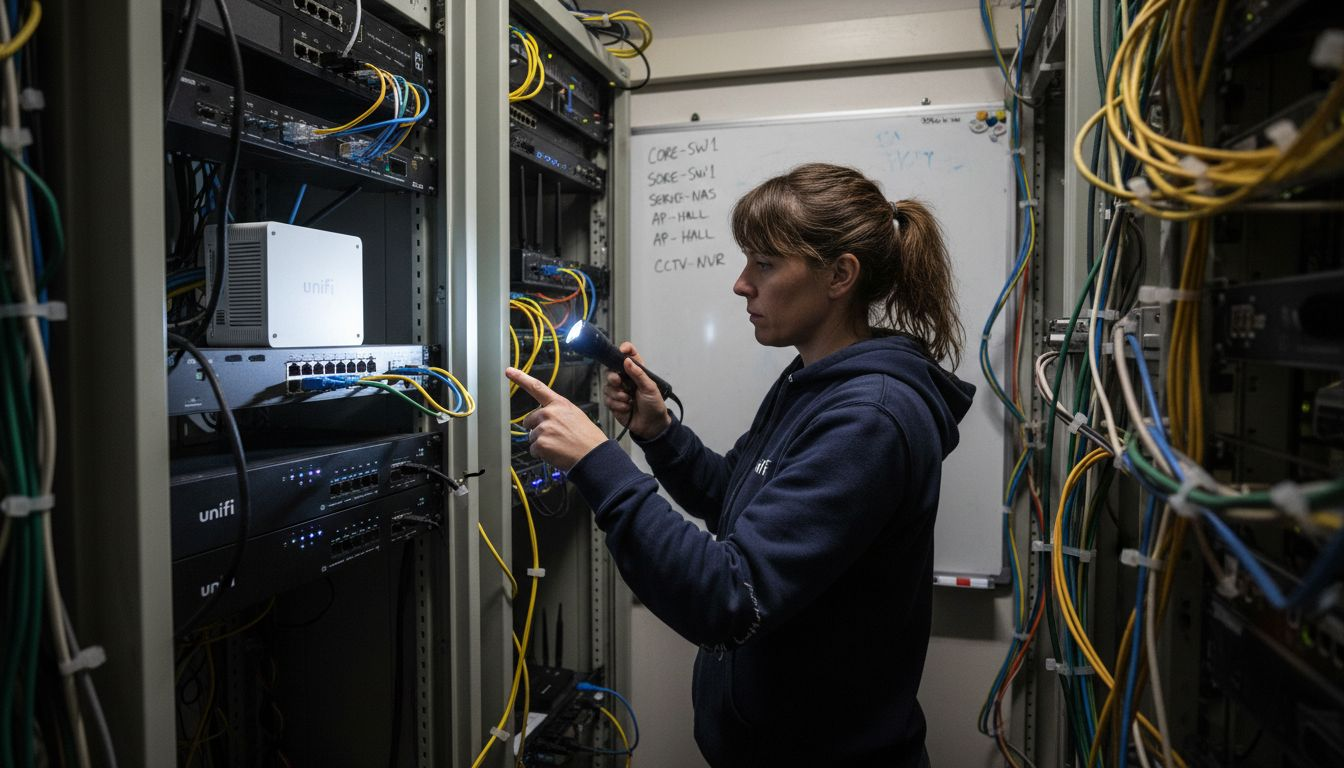
Unlike consumer WiFi routers, Unifi security integrates across access points, gateways, and switches. This unified approach means threats are caught at multiple points rather than relying on a single defence layer.
The Unifi Controller dashboard is where all security happens. You configure firewall rules, monitor threats, and adjust policies without visiting individual devices.
This centralised approach delivers:
Many Stockholm SMEs struggle with fragmented security tools. Unifi eliminates that headache by consolidating controls into one platform.
Here is a summary of key Ubiquiti Unifi security functions and their impact on SME network safety:
| Security Feature | What It Does | Business Benefit |
|---|---|---|
| Centralised control | Unified dashboard for all devices | Reduces complexity, speeds response |
| Intrusion detection | Real-time threat monitoring | Blocks attacks before causing harm |
| Traffic shaping | Prioritises business-critical apps | Improves performance and reliability |
| VLAN segmentation | Separate user and IoT networks | Limits attacker movement, protects assets |
Svep i sidled för att se hela tabellen
The UniFi Security Gateway provides firewall and routing capabilities with traffic management and intrusion detection built in. It sits between your internet connection and internal network, filtering threats before they reach your devices.
Key gateway security features:
The gateway is your first line of defence. Every network connection passes through it, making it the ideal place to catch threats early.
For businesses handling sensitive data, UniFi CyberSecure takes protection further. This subscription service integrates Ubiquiti hardware with Proofpoint threat intelligence, scanning web traffic in real time.
CyberSecure blocks:
Your users can browse normally whilst advanced threat blocking protects against phishing and malware. The service works invisibly in the background.
Unifi lets you create separate networks for different user groups. Employees, guests, contractors, and IoT devices can all operate on isolated networks with different security rules.
This segmentation prevents lateral movement if one segment is compromised. An attacker gaining access to a guest network cannot reach your financial systems.
Security that’s difficult to manage often goes neglected. Unifi’s integrated approach makes security part of your daily workflow rather than a separate headache.
Pro tip: Start by enabling the UniFi Security Gateway’s intrusion detection and reviewing firewall logs weekly. Most SMEs leave default settings untouched—spending one afternoon customising rules for your specific traffic patterns catches issues before they become breaches.
Proper network cabling forms the backbone of reliable WiFi performance. Even the best Ubiquiti Unifi access points deliver poor results if the underlying infrastructure is poorly designed or installed.
Most SMEs underestimate how much cabling quality affects overall network reliability. Bad installations create bottlenecks, signal interference, and frequent disconnections that frustrate users and damage productivity.
Installation quality directly impacts network uptime and performance. A poorly installed cable might work initially but degrade over months as connectors loosen or moisture enters connections.
Professional installation protects your investment:
Stockholm businesses often discover cabling problems only after networks start failing. Prevention costs far less than emergency repairs.
BICSI installation standards provide comprehensive guidance on telecommunications cabling best practices. These cover planning, quality assurance, documentation, and ongoing maintenance to ensure reliable installations suited for SME networks.
Key installation considerations:
Professional installation isn’t just about getting cables in the walls. It’s about building infrastructure that stays reliable for 10+ years.
Organised cabling simplifies troubleshooting and reduces future costs. When technicians can identify cables quickly, they resolve problems faster.
Proper cable management includes:
Undocumented installations become nightmares when problems occur. You’ll spend hours tracing unlabelled cables instead of minutes fixing the issue.
ISO/IEC 14763-2 standards require testing and inspection to ensure proper installation practices. Professional installers certify that cables meet performance specifications before you depend on them.
Testing verifies:
Certification documents become critical if you need to claim warranty coverage later.
Your cabling must support your access point density and switch capabilities. High-performance Unifi equipment connected through inadequate cabling is like installing a sports car engine in a standard car frame.
Pro tip: When planning your installation, specify Cat6A minimum even if Cat6 seems sufficient today. The slight additional cost prevents future bottlenecks as your business adds users and bandwidth-intensive applications—and professional installers can often run Cat6A for only marginally more than Cat6.
Unsecured WiFi networks are open invitations to cybercriminals. They gain access to sensitive business data, financial records, customer information, and intellectual property without your knowledge.
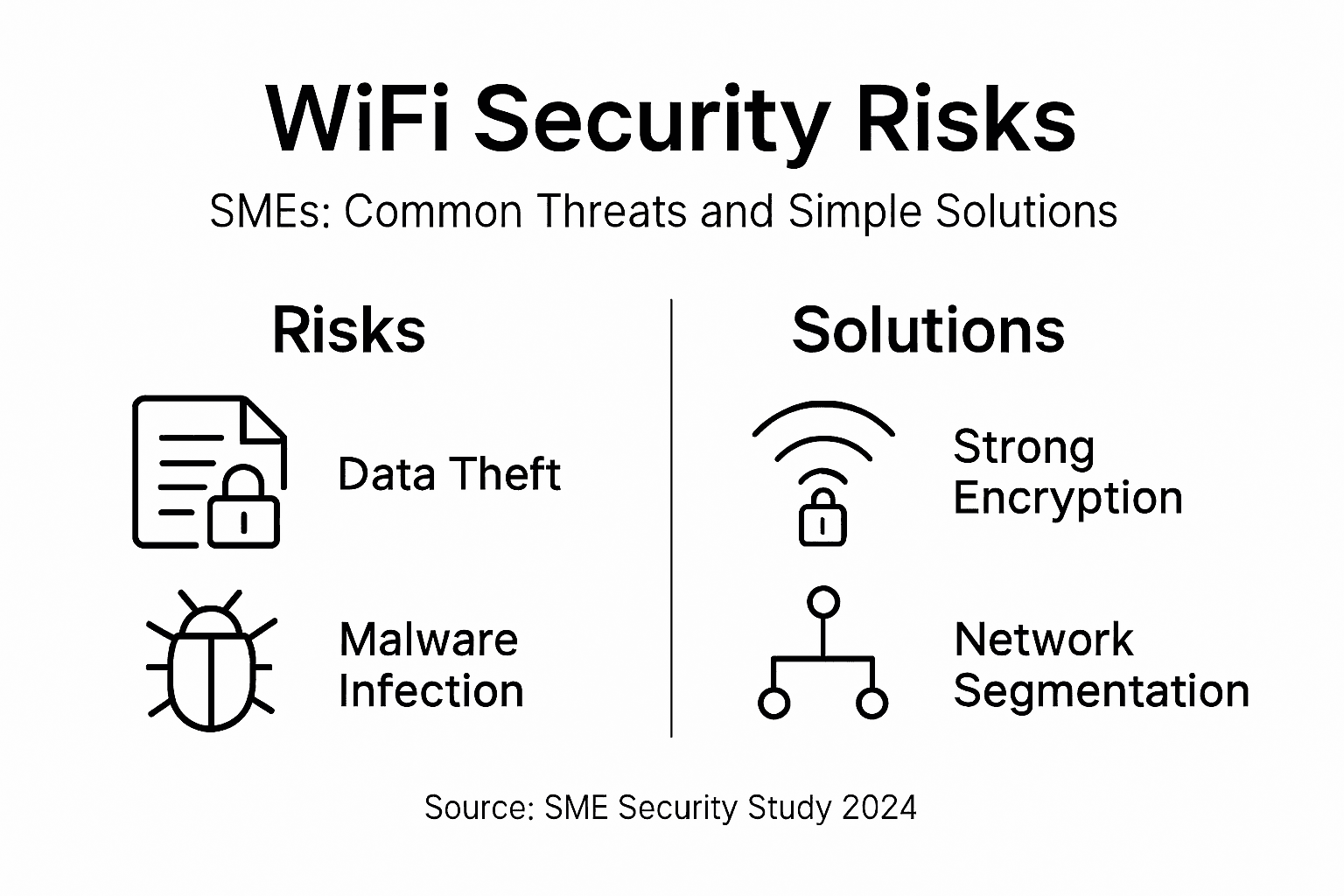
Many SME owners believe their networks are too small to attract attackers. This is dangerously wrong. Criminals target small businesses precisely because security is often weaker than at larger enterprises.
Poor WiFi security creates measurable financial damage. Data breaches cost businesses thousands in recovery, notification, potential fines, and reputational harm.
Common consequences include:
A single breach can cost a Stockholm SME more than years of preventative security investment.
Poorly secured WiFi networks serve as gateways for unauthorised access and data breaches. Attackers use several proven tactics:
Common attack vectors:
Attackers don’t need technical genius—they use automated tools that work against thousands of networks simultaneously.
Implementing strong encryption and authentication significantly reduces security risks. These preventative measures stop most attacks before they gain traction.
Essential solutions:
Network segmentation is one of the most effective defences. If attackers breach your guest network, they cannot reach your financial systems.
Unifi’s centralised management makes security implementation straightforward. Rather than configuring each device individually, you set policies once and deploy them everywhere.
Unifi specifically addresses:
Businesses implementing Unifi security report dramatically reduced breach risk compared to fragmented security approaches.
Pro tip: Schedule a security audit today focusing on your current encryption standard, firmware versions, and whether you’re segmenting employee, guest, and IoT traffic. Most SMEs discover they’re running outdated encryption or have never separated network traffic—fixing these two issues alone blocks the vast majority of common attacks.
Securing your wireless network is essential for protecting sensitive business data and ensuring seamless connectivity. At natverkstekniker.se, we understand the challenges outlined in the article around outdated encryption standards and fragmented network management. Our expertise in professional installation and comprehensive configuration of Ubiquiti Unifi systems equips your business with a reliable, future-proof network that embraces WPA3 security protocols, VLAN segmentation and centralised management.

Do not let poor WiFi security or substandard cabling compromise your operations. Benefit from expert network cabling using Cat6A and Cat7 that ensures optimal speed and durability. To safeguard your network and maximise performance, Boka Tid with our certified specialists today. Call us at tel:0840011726 or send an email to kontakt@natverkstekniker.se for prompt assistance. Discover how our tailored Ubiquiti Unifi installations and structured cabling can transform your SME network into a secure, efficient asset. Visit natverkstekniker.se to learn more and take the first step towards enhanced network security and stability.
Secure WiFi involves protecting all components of your wireless network, including access points, switches, and client devices, through active management and appropriate configuration.
To enhance your network security, use current encryption standards like WPA3, keep firmware updated, implement strong authentication, segment your network, and continuously monitor for threats.
Outdated protocols like WEP are easily hacked, while WPA is still vulnerable to several attacks. Using modern protocols like WPA2 or WPA3 significantly improves security against potential breaches.
Professional installation ensures optimal network performance and reliability, helping to reduce downtime, prevent interference, and ensure compliance with standards, ultimately extending the lifespan of your network infrastructure.
Explore the role of network cabling for Ubiquiti Unifi, including installation types, performance impacts, and common issues for homes and businesses.
Läs artikelnProfessional networking for businesses explained: learn frameworks, methods, real Ubiquiti Unifi use cases, and installation considerations for SMEs.
Läs artikelnDiscover 7 key types of Unifi network setups for SMBs in Stockholm. Learn practical solutions for more secure, scalable, and high-performing networks.
Läs artikelnGuiderna tar dig långt – men ett professionellt installerat nätverk tar dig hela vägen. Vid större jobb är offerten alltid kostnadsfri.
